01
PICK YOUR SATELLITE
Start with a target.
Browse the satellite list and choose the one your receiver is set up to use.
A clearer way to align
A satellite dish is easier to point when you know exactly where to begin. SatAlign turns the sky into simple, steady steps.
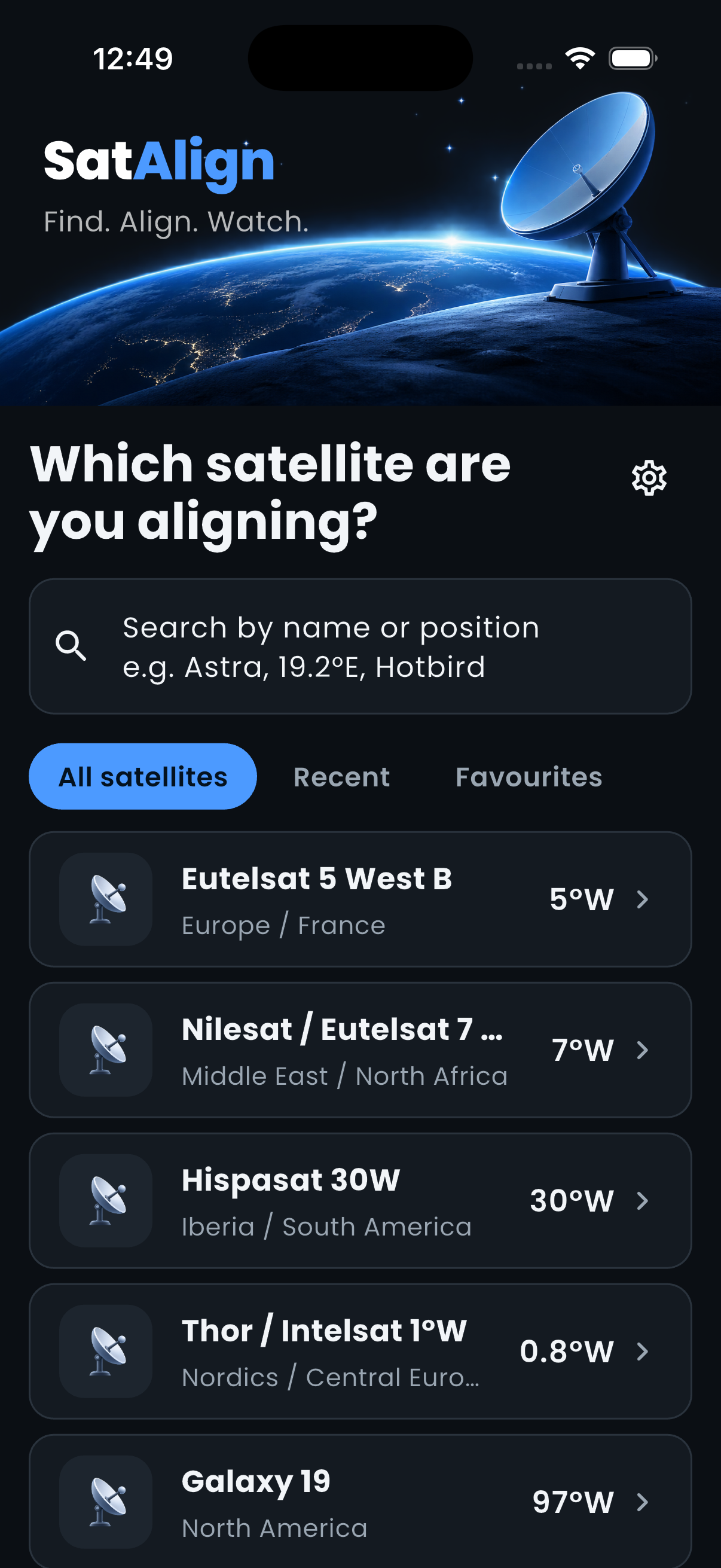
Choose the satellite you want. SatAlign works out the angles for your location, then guides you through each part of the setup at your pace.
PICK YOUR SATELLITE
Browse the satellite list and choose the one your receiver is set up to use.
GET YOUR BEARING
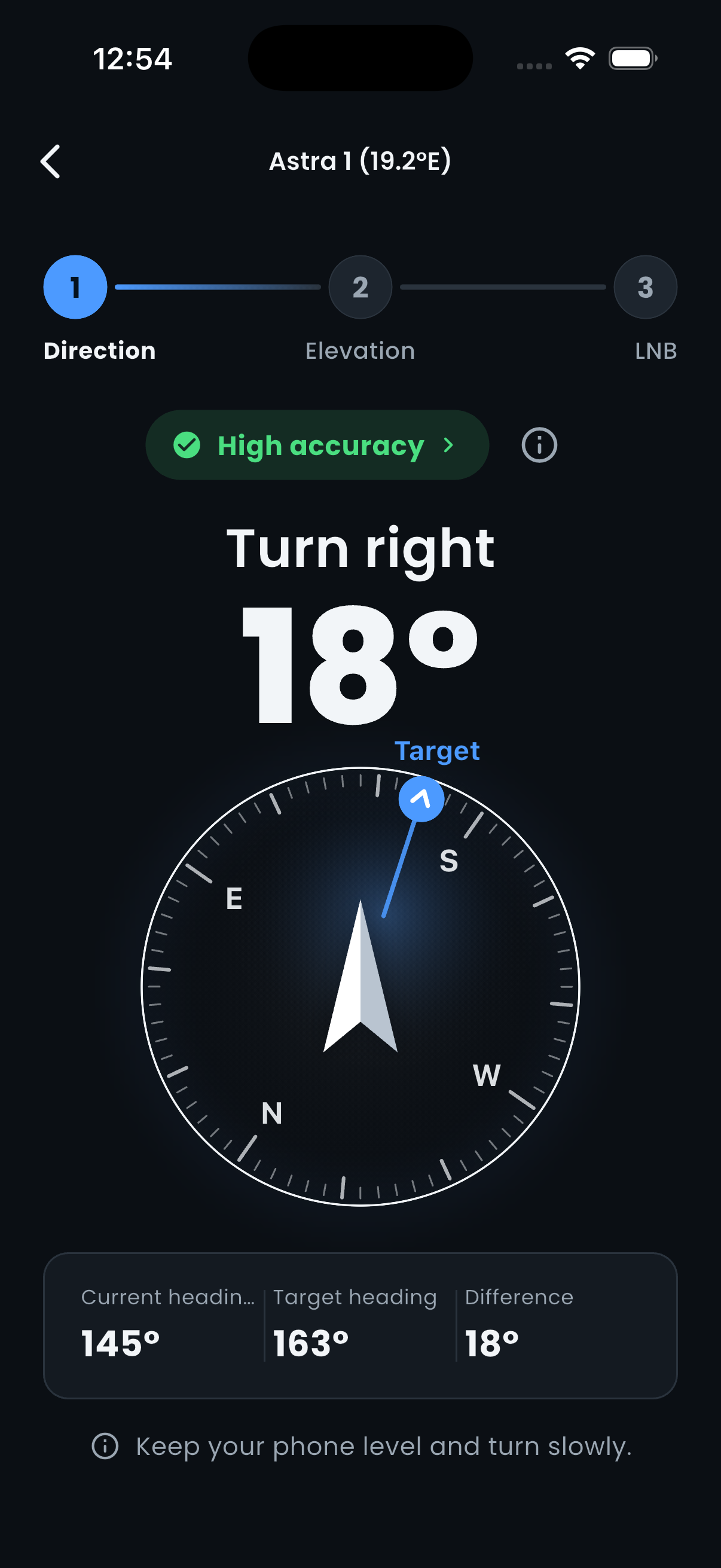
Follow the live compass guidance to find the right direction for your dish.
SET THE ANGLES
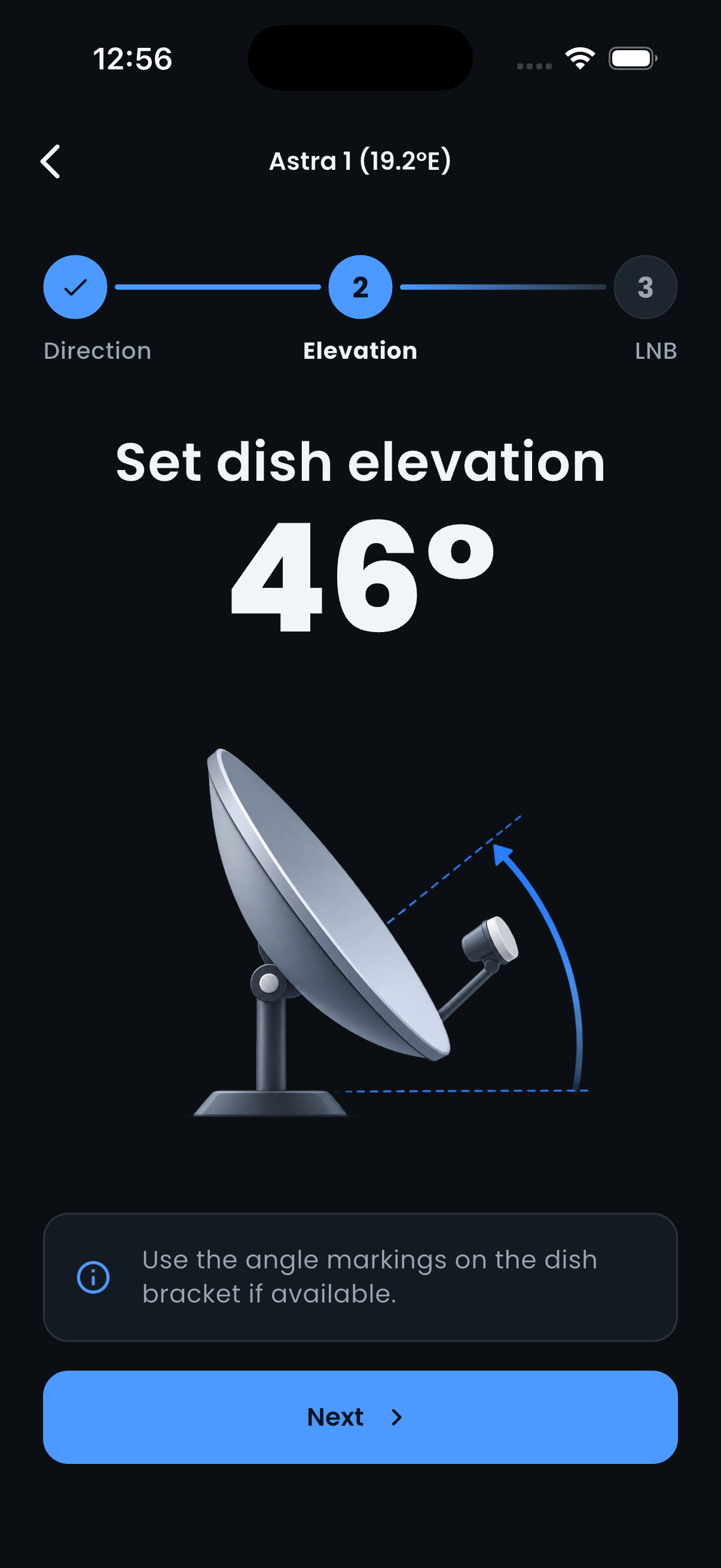
Use clear elevation and LNB skew values to dial in the final position.
FIND YOUR BEARING
01 — 03
No more checking the sky, guessing, and starting over. Keep your phone level and follow the compass toward your target heading.
CLEAR NUMBERS. CALMER SETUP.
Your dish has to meet the satellite in just the right direction. SatAlign gives you the key angles for your setup, then leaves the fine signal tuning to your receiver.
Example angles shown for illustration. Your values depend on your location and selected satellite.
SET & REFINE
02 — 03
Move through direction, elevation, and LNB skew without juggling separate charts. SatAlign keeps the next useful measurement close by.
BUILT FOR REAL-WORLD SETUPS
SatAlign calculates pointing angles from your location and selected satellite. Your receiver tells you when the signal is locked.
SatAlign does not detect satellite radio signals or guarantee reception. Follow safe installation practices when working at height.
YOUR DISH, MORE DIALLED IN
Take SatAlign outside and make your next alignment feel more straightforward.
Download on the App StoreSatellite Finder: SatAlign for iPhone